
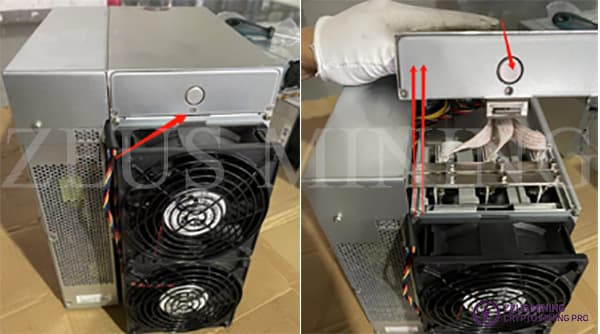
Pulling an All‑in‑One Miner's Hash Board Without Snapping Tabs
All-in-one units pack everything tight. When you genuinely need that hash board out, working slow beats forcing plastic. Steps below mirror Zeus Mining's teardown — same sequence, same caution about fan cabling.
I still treat any first-time strip-down like borrowed hardware: photos off the bat, coffee before frustration, screws in tiny labeled cups. The walkthrough Zeus Mining published for pulling a hash module from their all-in-one style shell is concise; I'm keeping the bones but saying it plain so you aren't guessing torque by feel alone.
Technical photos below are reproduced from Zeus Mining's tutorial for clarity; full credits at the bottom.
Step 1 — Top cover actually comes off cleanly
Pop the control-panel cover screws they show in their guide — press their round release, lift straight. If something binds, pause: those clips love to crack when you reef sideways.
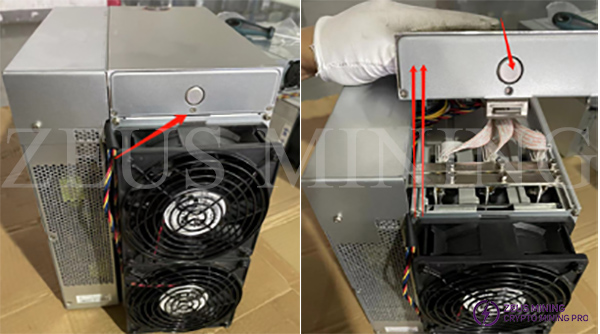
Step 2 — Rear fan cage out, but wires stay tethered
Once the hood is gone, loosen the fasteners that hold the rear fan mounting plate/cage. Important bit they repeat: cables are STILL jumpered — don't hinge the assembly sideways like a paperback or you'll tug pins loose.
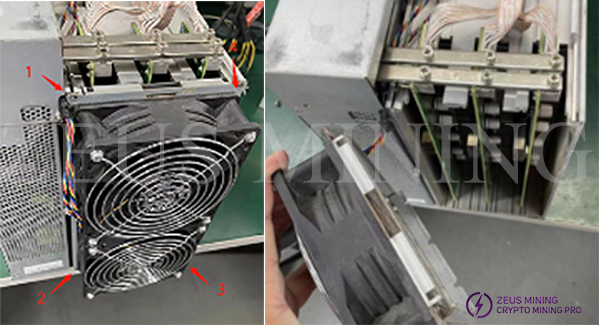
Step 3 — Data loom free, fasteners on the rails
Fold the cage just enough slack, unplug the signaling harness to the hashing plane, then back out fasteners holding hash board clamps and copper bus bars (sequence matters on torque — nip loose evenly so nothing skews).
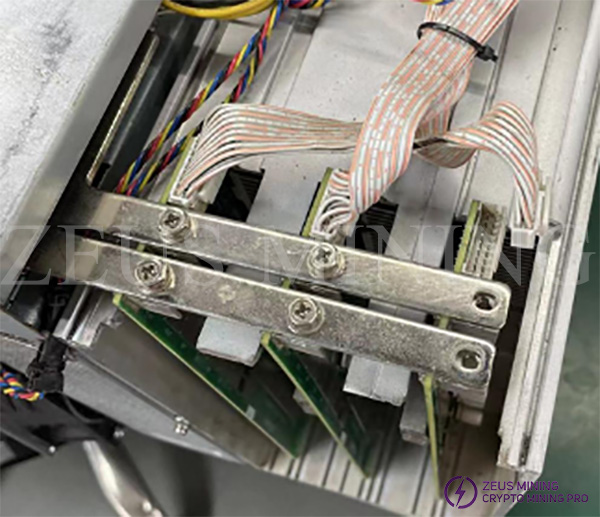
Step 4 — Slide, don't shimmy
Carrier rails are straighter guides than impatient thumbs. Gentle pressure along the insertion axis — if it stalls, lint or a clip you missed wins; never hammer.
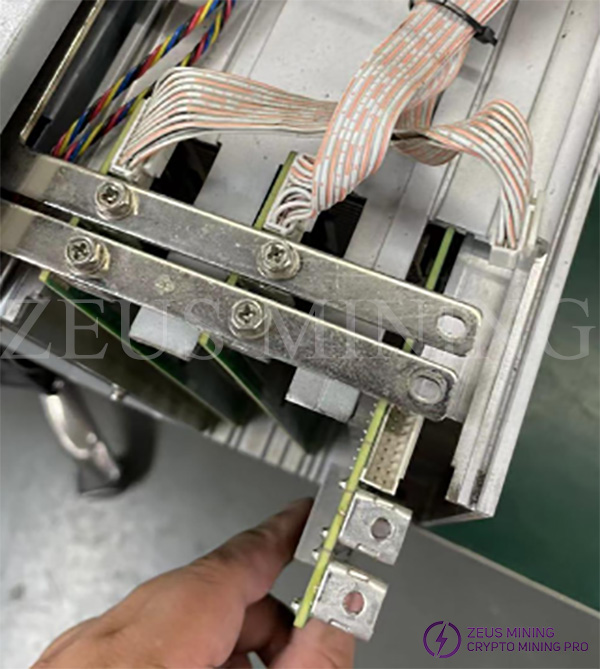
Keep ESD grounding in mind once you're swapping silicon; static doesn't care you're in a hurry.
Need miners, not surgery?
Repair chops pay off forever, fresh hash pays today — if procurement is ahead of tinkering today, skim buy miners alongside your bench planning.
Original teardown with Zeus captions (plus their contact blocks if you chase OEM parts abroad):
Zeus Mining — How to remove the hash board from the all‑in‑one miner
Related Resource
Buy Bitcoin Miners: Compare available ASIC models and deployment-ready options.
Tags
Author & editorial standards
Written by Admin. Content is reviewed under our editorial policy for accuracy, operational clarity, and transparent sourcing on mining economics and hardware.
Continue This Topic
Related Posts
How Custom ASIC Firmware (Like Vnish) Solves Antminer Problems, Stock Firmware Cannot
Factory Bitmain firmware is built for uniform datacenters. When a fan flakes, a board weakens, or chips drift hot, stock logic often stops the whole machine. Hashrate Farm distributes custom Antminer firmware for operators who need granular control, diagnostics, and graceful degradation—especially on busy farms.
2nd Gen Blower Silencer for ASIC Miners — Worth the Bench Space?
If stock fans are driving your neighbors crazy, blower silencers are one path to quieter exhaust. Here's what the newer Zeus Mining kit actually brings to the rack, specs included, minus the fluff.